⚠ 這是歷史版本頁面 — 查看 Substance 3D Painter 最新版本 →

- 目前版本2021
- 更新日期2021-02-02
- 檔案大小81.7 MB
- 檔案名稱Substance+Launcher-1.5.2-beta.92.win.exe
- 作業系統Windows 7 64 / Windows 8 64 / Windows 10 64 / Windows 11
- 支援語系English
- 授權型式未分類
- 開發商 Adobe Inc.
- 軟體分類Windows 軟體 / 影像設計
##
編輯短評
Substance 3D Painter 是 Adobe 旗下專為 3D 資產設計貼圖的專業工具,核心特色在於 PBR 即時視埠,讓你在調整材質外觀的同時,能即時看到光影與質感的變化,省去反覆算圖的等待。它隸屬於 Creative Cloud 生態系,並提供與 UE4、Unity 的即時連動功能,方便遊戲開發流程。此軟體自 2019 年起持續收錄版本,屬長期維護的產品,在 3D 貼圖領域是主流首選之一,使用者評價普遍不錯。
這套工具適合 3D 美術師、遊戲開發者,以及需要為模型製作擬真或風格化材質的創作者。與 Photoshop 這類 2D 影像軟體相比,它專注於 3D 模型的 UV 貼圖與材質繪製,工作流程更直接。需注意的是,它採用訂閱制,提供七天免費試用,且僅有英文介面,對非英文使用者稍有門檻。若你已訂閱 Creative Cloud 或 Substance 3D Collection 方案,可直接使用;否則需評估訂閱成本是否符合需求。
##
翻譯排程處理中,以下暫以英文原文呈現
軟體介紹
Adobe Substance 3D Painter gives you all the tools you need to texture your 3D assets. The PBR real-time viewport lets you work on asset look development.
This app is part of Adobe Creative Cloud (20+ Apps and Services). It’s FREE for first 7 days, Try Now!
Create in Substance Painter and get real-time feedback in UE4 and Unity thanks to the live link. Get Adobe Substance 3D Painter as part of the Substance 3D Collection plan for just US$49.99/mo.
Substance 3D Painter is a powerful 3D texturing and painting software developed by Adobe's Substance division. It's designed for professionals and enthusiasts in the fields of 3D art, game development, visual effects, and architectural visualization.
This software empowers users to create highly detailed and realistic textures for 3D models with an extensive set of tools and features.
Smart Materials
Tear and wear, scratches and dust instantly appear where they're supposed to.
Smart Masks
Apply the same mask preset on any type of object and have it adapt automatically.
Integrated 8K Bakers
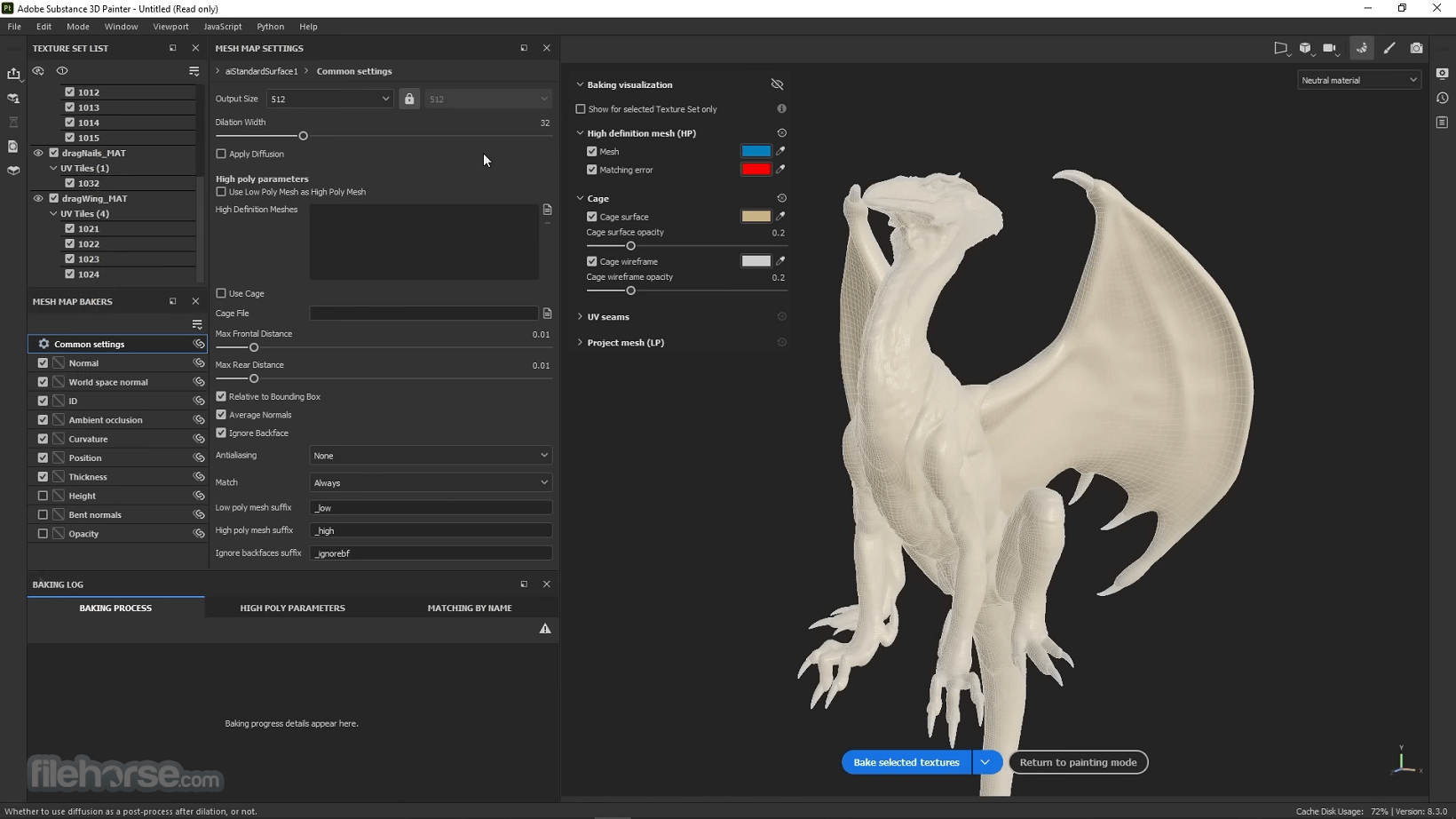
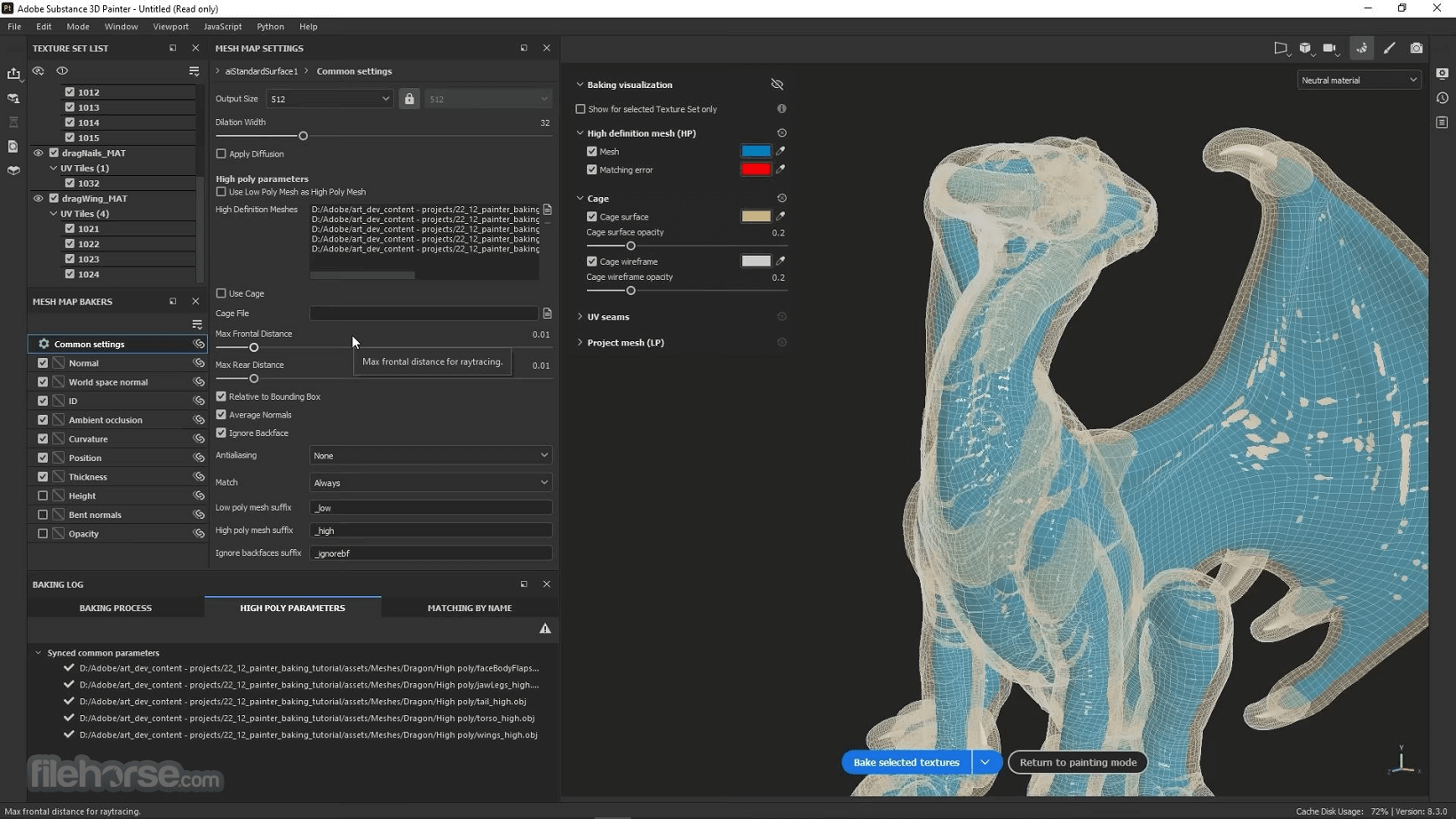
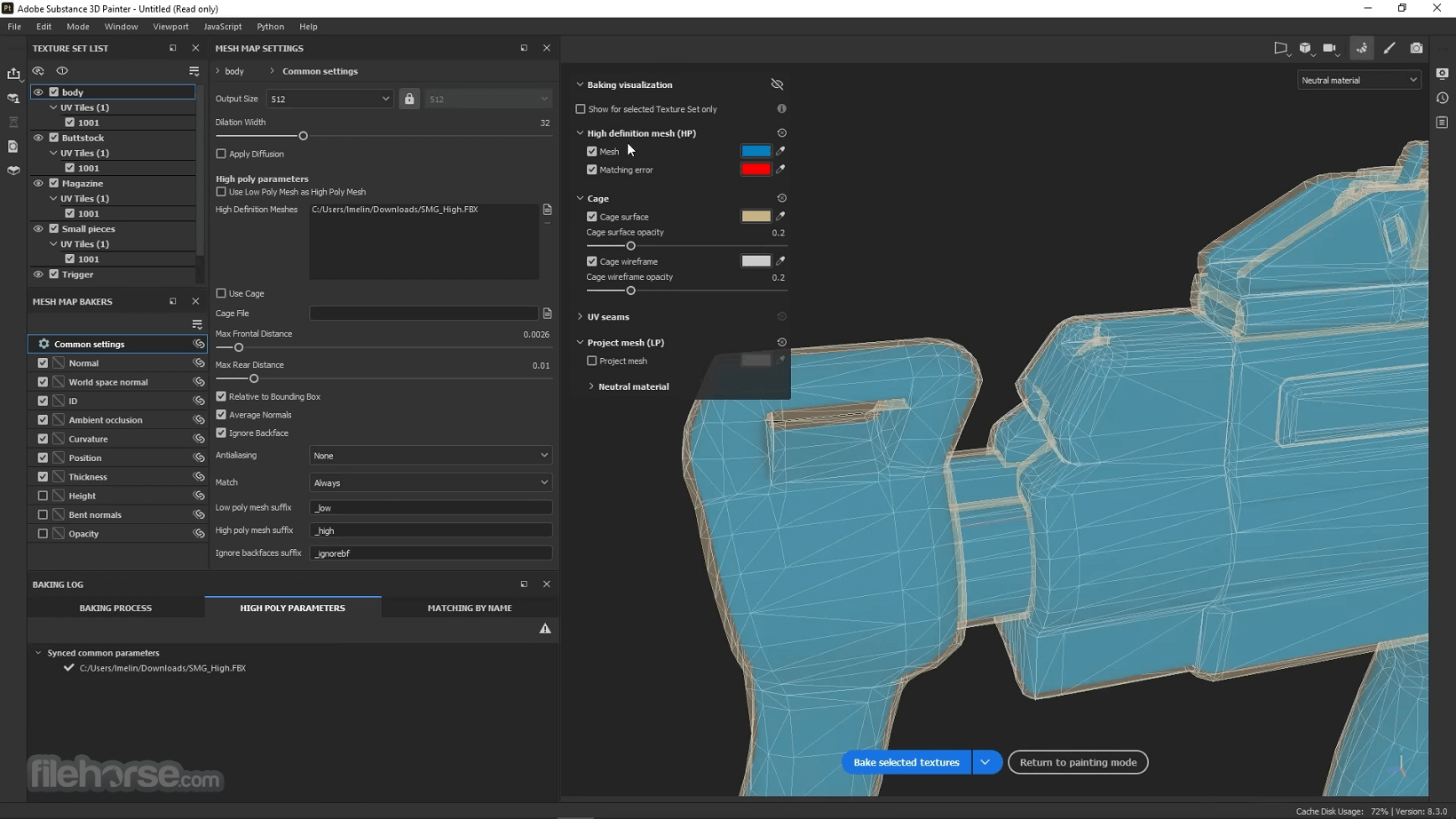
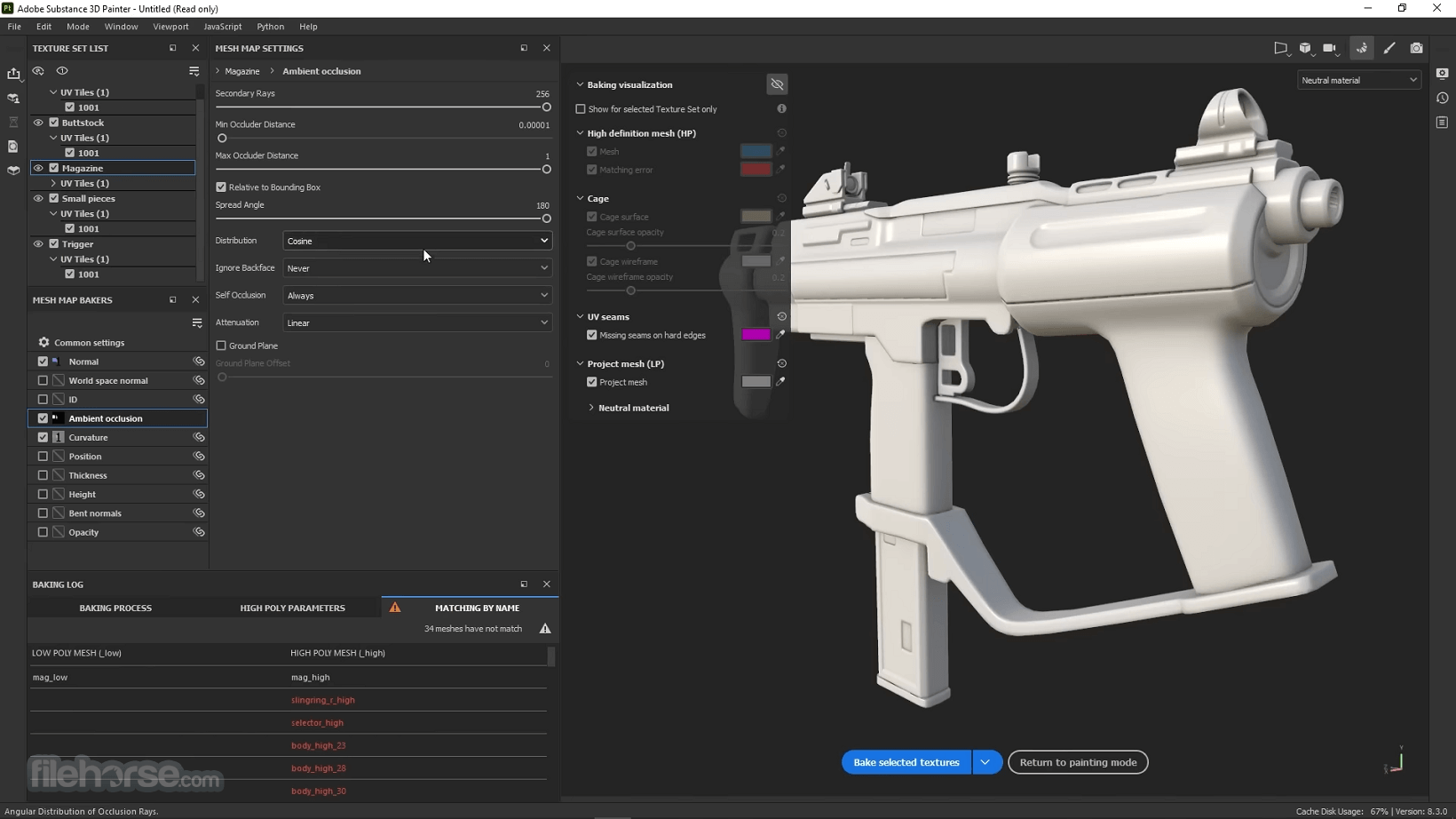
Baking is where it all starts. Bake high-quality maps in an instant directly within the program.
Support for Linux, 8K export, color management, UDIM management, and Scripting API make integrating Substance Painter into VFX workflows easier than ever. Get 1:1 engine exports and share directly with portfolio sites with dedicated formats.
Render directly with NVIDIA Iray and enhance your images with Yebis post-process effects. Experience a state of the art real-time PBR viewport while working on your assets.
This new mask effect allows you to blend by comparing the content of the current layer with the one from the layer stack underneath, similar to the Blend-if function in Photoshop. Combine it with the updated Seamless Material sample project to create tileable environment materials rapidly.
Powerful paint engine
Paint using dynamic brushes, projection tools, or particles. It also supports Adobe Photoshop brush presets.
Smart Materials and Smart Masks
Apply realistic details, from subtle dust layers to signs of extreme wear and tear.
Advanced material creation
Reproduce real-life material behaviors such as subsurface scattering, sheen, anisotropy, or clear-coat. Preserve these properties when exporting.
Easy exports
Export to any game engine or renderer effortlessly. Create custom export presets to fit into any pipeline or workflow.
Automatic UVs
Automatic UVs ensure imported models don’t need any special preparation for texturing. Lay out UVs over multiple tiles to maintain high resolution.
VFX support
It supports multi-tile painting (UDIMs), Alembic, camera import, and Python scripting and is compliant with the VFX Reference Platform. It is also available on Linux.
Dynamic Strokes introduces a way to generate procedural brush strokes based on Substance parameters. Your brush can evolve over time, swap its alpha at random, or even generate a whole new material with each stamp.
You can now choose between a Spherical and Planar projection for your layer. With the Planar projection, your Fill layer will then act as a decal and several options allow you to play with tiling, as well as with how far the decal affects the geometry.
A release of Substance Painter is never complete without some UI tweaks, and this time the Layer Stack, Texture Setlist, and Channels list went through the hands of the UX team.
Features
Realistic Texture Painting: You can paint directly onto your 3D models with a wide range of brushes and materials, achieving highly detailed and lifelike textures.
PBR (Physically Based Rendering) Workflow: It follows the PBR workflow, ensuring that your textures look accurate and consistent in various lighting conditions.
Material Library: Access a vast library of pre-built materials, making it easy to get started and saving you time on texture creation.
Layer-Based Workflow: The layer system allows for non-destructive editing and enables you to experiment with different textures and effects without compromising the original work.
Smart Masks: Use smart masks to create complex and procedural effects, such as weathering, dirt, and wear, with ease.
Real-Time Preview: See instant feedback on how your textures will appear in real-time, allowing for quick adjustments and improvements.
UV Unwrapping: It includes UV unwrapping tools to help you efficiently prepare your models for texturing.
Export Options: Export your textures in various formats suitable for different 3D engines and software.
Integration with Other Software: Seamlessly integrate the software with other 3D modeling and design software like Blender, Maya, and Unity.
User Interface
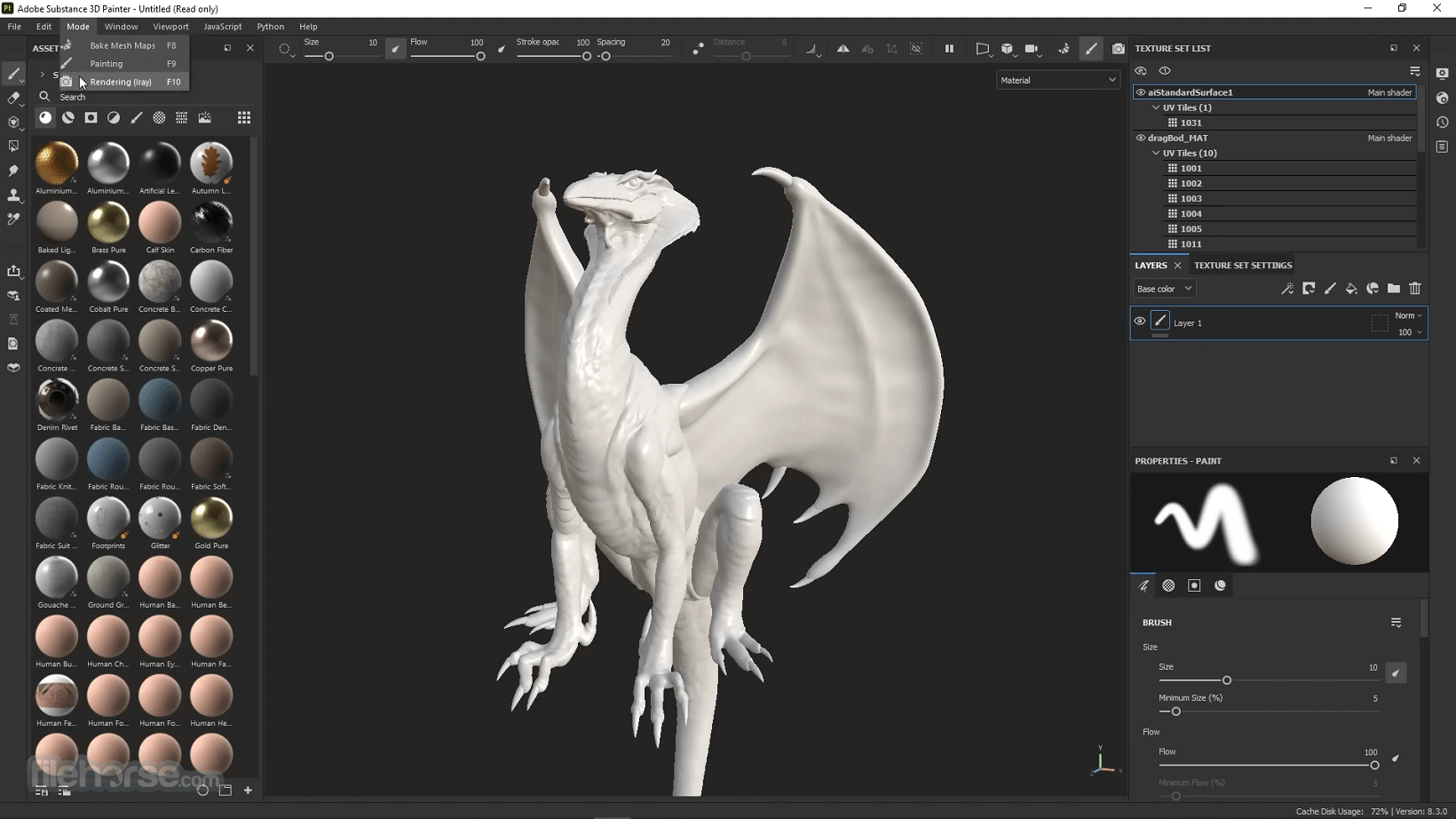
The user interface of the software is user-friendly and well-designed. It features an intuitive layout with customizable panels, which allows you to arrange the workspace according to your preferences.
The tools and options are logically organized, making it easy for both beginners and experienced users to navigate and utilize the software effectively.
Installation and Setup
Installing the program is a straightforward process. You can download it from the Adobe website and follow the on-screen instructions.
Adobe typically provides clear installation guidelines, ensuring that you can get the software up and running without issues.
How to Use
Import Your 3D Model: Open your 3D model within the software.
Unwrap UVs: If necessary, use the built-in UV unwrapping tools to prepare your model for texturing.
Choose Materials: Access the material library or create your own custom materials.
Paint and Texture: Use brushes and smart masks to paint and texture your 3D model.
Preview: Continuously preview your work in real-time to make adjustments.
Export: Export your finished textures in the desired format for your 3D project.
FAQ
What operating systems does Substance 3D Painter support?
Substance 3D Painter is compatible with Windows, macOS, and Linux.
Is Substance 3D Painter suitable for beginners?
While it may have a learning curve, it provides extensive tutorials and resources to help beginners get started.
Can I use Substance 3D Painter with other 3D software?
Yes, you can integrate the software with popular 3D modeling and game development software like Blender, Maya, and Unity.
Does Substance 3D Painter require a powerful computer?
While it benefits from a capable GPU, it's designed to run on a range of hardware setups.
What's the pricing model for Substance 3D Painter?
Itoffers both a subscription-based model and a perpetual license option, catering to different user preferences.
Alternatives
3D Coat: a powerful 3D modeling and texturing software used for creating detailed 3D assets. It specializes in sculpting, retopology, UV mapping, and PBR texturing. The software is widely used in game development, animation, and VFX due to its intuitive workflow and advanced features.
Pricing
It offers a subscription-based pricing model as part of the Adobe Substance 3D Collection (US$49.99/mo). The pricing may vary depending on your location and specific requirements. Adobe typically offers various plans, including individual, student, and business licenses. Be sure to check Adobe's official website for the most up-to-date pricing information.
System Requirements
Overall, Substance 3D Painter is an exceptional piece of software for 3D artists, game developers, and anyone involved in 3D visualization. Its extensive feature set, material library, and integration options make it a go-to choice for professionals. While it may have a learning curve, the power and flexibility it offers are well worth the investment.
Whether you're painting textures for games, films, or architectural visualization, Substance 3D Painter is a versatile tool that can significantly enhance your workflow and artistic capabilities. With flexible pricing options and continuous updates, it's a valuable addition to any 3D artist's toolkit.
Note: 7 days trial version.
Also Available: Download Substance Painter for Mac
Download Substance 3D Painter Latest Version Why is this app published on FileHorse? (More info)
This app is part of Adobe Creative Cloud (20+ Apps and Services). It’s FREE for first 7 days, Try Now!
Create in Substance Painter and get real-time feedback in UE4 and Unity thanks to the live link. Get Adobe Substance 3D Painter as part of the Substance 3D Collection plan for just US$49.99/mo.
Substance 3D Painter is a powerful 3D texturing and painting software developed by Adobe's Substance division. It's designed for professionals and enthusiasts in the fields of 3D art, game development, visual effects, and architectural visualization.
This software empowers users to create highly detailed and realistic textures for 3D models with an extensive set of tools and features.
Smart Materials
Tear and wear, scratches and dust instantly appear where they're supposed to.
Smart Masks
Apply the same mask preset on any type of object and have it adapt automatically.
Integrated 8K Bakers
Baking is where it all starts. Bake high-quality maps in an instant directly within the program.
Support for Linux, 8K export, color management, UDIM management, and Scripting API make integrating Substance Painter into VFX workflows easier than ever. Get 1:1 engine exports and share directly with portfolio sites with dedicated formats.
Render directly with NVIDIA Iray and enhance your images with Yebis post-process effects. Experience a state of the art real-time PBR viewport while working on your assets.
This new mask effect allows you to blend by comparing the content of the current layer with the one from the layer stack underneath, similar to the Blend-if function in Photoshop. Combine it with the updated Seamless Material sample project to create tileable environment materials rapidly.
Powerful paint engine
Paint using dynamic brushes, projection tools, or particles. It also supports Adobe Photoshop brush presets.
Smart Materials and Smart Masks
Apply realistic details, from subtle dust layers to signs of extreme wear and tear.
Advanced material creation
Reproduce real-life material behaviors such as subsurface scattering, sheen, anisotropy, or clear-coat. Preserve these properties when exporting.
Easy exports
Export to any game engine or renderer effortlessly. Create custom export presets to fit into any pipeline or workflow.
Automatic UVs
Automatic UVs ensure imported models don’t need any special preparation for texturing. Lay out UVs over multiple tiles to maintain high resolution.
VFX support
It supports multi-tile painting (UDIMs), Alembic, camera import, and Python scripting and is compliant with the VFX Reference Platform. It is also available on Linux.
Dynamic Strokes introduces a way to generate procedural brush strokes based on Substance parameters. Your brush can evolve over time, swap its alpha at random, or even generate a whole new material with each stamp.
You can now choose between a Spherical and Planar projection for your layer. With the Planar projection, your Fill layer will then act as a decal and several options allow you to play with tiling, as well as with how far the decal affects the geometry.
A release of Substance Painter is never complete without some UI tweaks, and this time the Layer Stack, Texture Setlist, and Channels list went through the hands of the UX team.
Features
Realistic Texture Painting: You can paint directly onto your 3D models with a wide range of brushes and materials, achieving highly detailed and lifelike textures.
PBR (Physically Based Rendering) Workflow: It follows the PBR workflow, ensuring that your textures look accurate and consistent in various lighting conditions.
Material Library: Access a vast library of pre-built materials, making it easy to get started and saving you time on texture creation.
Layer-Based Workflow: The layer system allows for non-destructive editing and enables you to experiment with different textures and effects without compromising the original work.
Smart Masks: Use smart masks to create complex and procedural effects, such as weathering, dirt, and wear, with ease.
Real-Time Preview: See instant feedback on how your textures will appear in real-time, allowing for quick adjustments and improvements.
UV Unwrapping: It includes UV unwrapping tools to help you efficiently prepare your models for texturing.
Export Options: Export your textures in various formats suitable for different 3D engines and software.
Integration with Other Software: Seamlessly integrate the software with other 3D modeling and design software like Blender, Maya, and Unity.
User Interface
The user interface of the software is user-friendly and well-designed. It features an intuitive layout with customizable panels, which allows you to arrange the workspace according to your preferences.
The tools and options are logically organized, making it easy for both beginners and experienced users to navigate and utilize the software effectively.
Installation and Setup
Installing the program is a straightforward process. You can download it from the Adobe website and follow the on-screen instructions.
Adobe typically provides clear installation guidelines, ensuring that you can get the software up and running without issues.
How to Use
Import Your 3D Model: Open your 3D model within the software.
Unwrap UVs: If necessary, use the built-in UV unwrapping tools to prepare your model for texturing.
Choose Materials: Access the material library or create your own custom materials.
Paint and Texture: Use brushes and smart masks to paint and texture your 3D model.
Preview: Continuously preview your work in real-time to make adjustments.
Export: Export your finished textures in the desired format for your 3D project.
FAQ
What operating systems does Substance 3D Painter support?
Substance 3D Painter is compatible with Windows, macOS, and Linux.
Is Substance 3D Painter suitable for beginners?
While it may have a learning curve, it provides extensive tutorials and resources to help beginners get started.
Can I use Substance 3D Painter with other 3D software?
Yes, you can integrate the software with popular 3D modeling and game development software like Blender, Maya, and Unity.
Does Substance 3D Painter require a powerful computer?
While it benefits from a capable GPU, it's designed to run on a range of hardware setups.
What's the pricing model for Substance 3D Painter?
Itoffers both a subscription-based model and a perpetual license option, catering to different user preferences.
Alternatives
3D Coat: a powerful 3D modeling and texturing software used for creating detailed 3D assets. It specializes in sculpting, retopology, UV mapping, and PBR texturing. The software is widely used in game development, animation, and VFX due to its intuitive workflow and advanced features.
Pricing
It offers a subscription-based pricing model as part of the Adobe Substance 3D Collection (US$49.99/mo). The pricing may vary depending on your location and specific requirements. Adobe typically offers various plans, including individual, student, and business licenses. Be sure to check Adobe's official website for the most up-to-date pricing information.
System Requirements
- OS: Windows 11/10
- CPU: Intel Core i7
- GPU: NVIDIA GeForce GTX 1070 or equivalent
- RAM: 16GB
- Storage: 20GB SSD
- Robust texturing and painting capabilities.
- Extensive material library.
- Real-time preview for quick adjustments.
- Integration with popular 3D software.
- Both subscription and perpetual license options.
- Learning curve for beginners.
- Some advanced features may require a powerful GPU.
- High-resolution projects may demand substantial system resources.
Overall, Substance 3D Painter is an exceptional piece of software for 3D artists, game developers, and anyone involved in 3D visualization. Its extensive feature set, material library, and integration options make it a go-to choice for professionals. While it may have a learning curve, the power and flexibility it offers are well worth the investment.
Whether you're painting textures for games, films, or architectural visualization, Substance 3D Painter is a versatile tool that can significantly enhance your workflow and artistic capabilities. With flexible pricing options and continuous updates, it's a valuable addition to any 3D artist's toolkit.
Note: 7 days trial version.
Also Available: Download Substance Painter for Mac
Download Substance 3D Painter Latest Version Why is this app published on FileHorse? (More info)
##
影片介紹
##
畫面截圖
- 2025-05-20 Substance 3D Painter
- 2021-02-02 Substance Painter 2021 81.7 MB
- 2019-10-23 Substance Painter 2019.2.3 Build 3402 1.4 GB
- 2019-09-20 Substance Painter 2019.2.2 Build 3345 1.3 GB
- 2019-09-17 Substance Painter 2019.2.1 Build 3338 1.3 GB
- 2019-07-25 Substance Painter 2019.2.0 Build 3242 1.3 GB