⚠ 這是歷史版本頁面 — 查看 TreeSize Free 最新版本 →

- 目前版本4.5.3
- 更新日期2021-11-29
- 檔案大小9.02 MB
- 檔案名稱TreeSizeFreeSetup.exe
- 作業系統Windows 8 / Windows 8 64 / Windows 10 / Windows 10 64 / Windows 11
- 支援語系English
- 授權型式試用版
- 開發商 JAM Software
- 軟體分類Windows 軟體 / 系統優化
##
編輯短評
TreeSize Free 是一款專為 Windows 設計的磁碟空間分析工具,旨在幫助使用者快速找出佔用大量儲存空間的大檔案與資料夾。它最核心的特色在於提供直觀的階層式樹狀結構視圖,讓使用者能一目了然地掌握硬碟使用分佈,而不需要在複雜的系統設定中翻找。這款軟體長期以來持續維護且更新活躍,是許多 Windows 用戶管理儲存空間時的熱門選擇。
這套工具適合需要快速回收磁碟空間、追求效率的使用者。當你發現硬碟容量不足卻找不到原因時,可以透過下載此軟體來視覺化分析檔案分佈。相較於功能較廣泛的系統優化替代方案,TreeSize Free 更專注於空間分析的單一功能。使用者在安裝前需留意此版本為試用版且僅支援英文介面,適合能接受英文操作的 Windows 環境使用者。
##
翻譯排程處理中,以下暫以英文原文呈現
軟體介紹
TreeSize Free is a robust disk space analyzer for Windows 11/10 that helps users quickly identify large files and folders that consume valuable storage space.
It provides a detailed, hierarchical view of disk usage and is an essential program for users who want to manage storage more effectively.
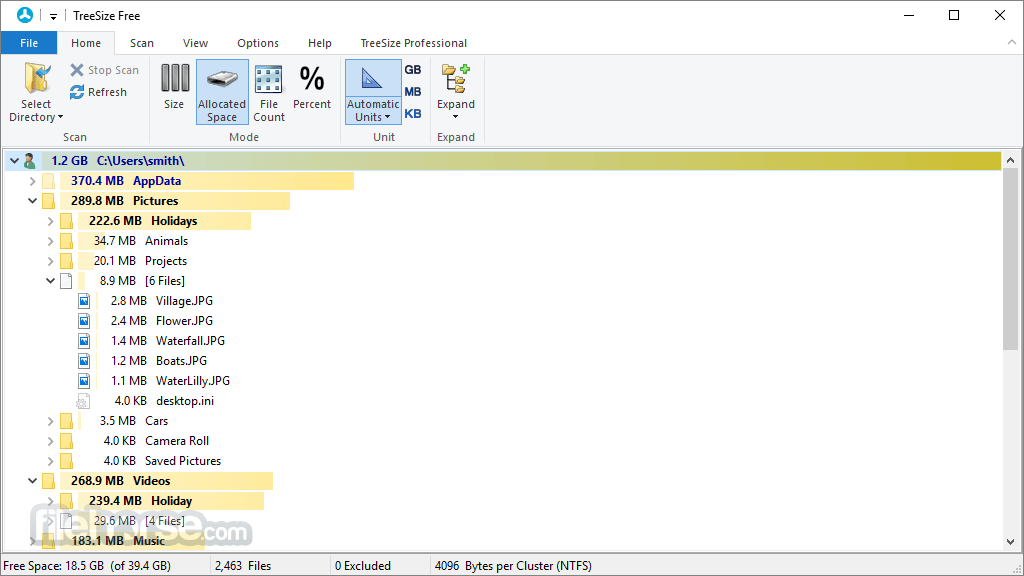
TreeSize Free scans entire drives or specific folders and presents disk usage in an easy-to-navigate tree structure.
It’s ideal for users who need a quick way to visualize and reclaim disk space without diving deep into complex system tools.
Features
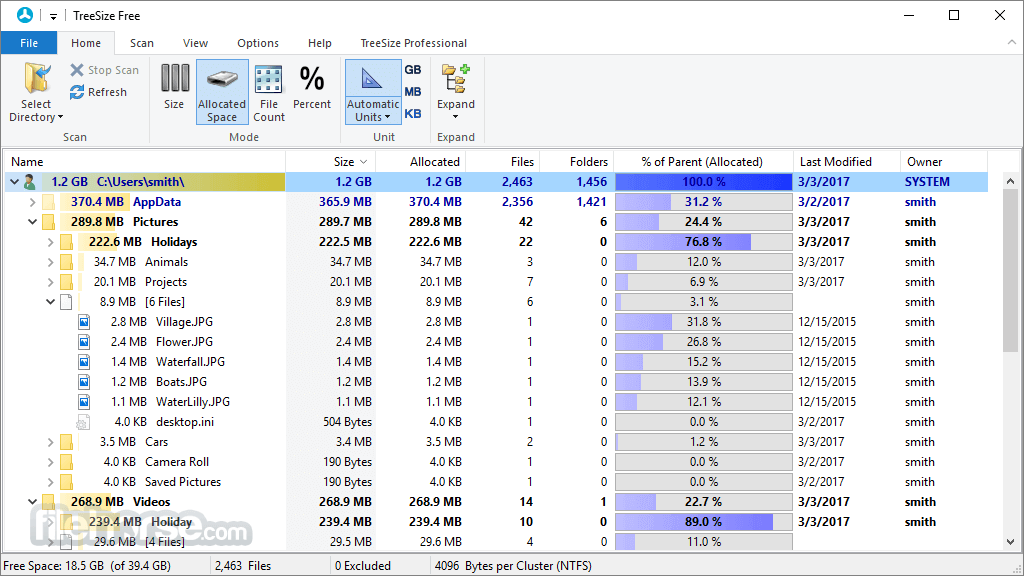
Folder Size Analysis: Displays folder sizes and the percentage of space they occupy.
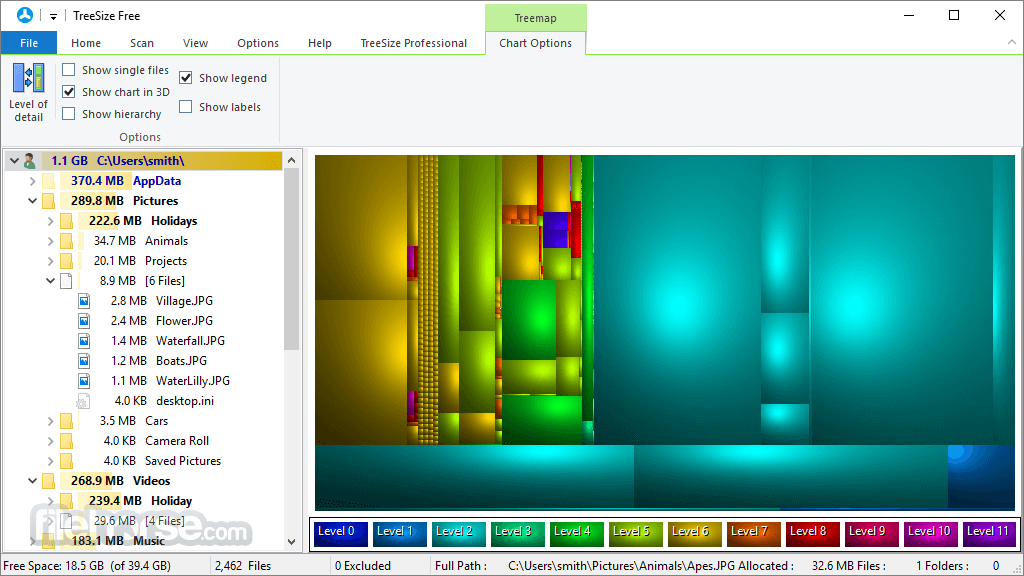
Treemap Visualization: Offers visual charts to highlight how space is used.
Windows Explorer Integration: Allows scans directly from the right-click context menu.
Touch-Optimized UI: Fully functional on touchscreen devices.
Dark Mode: Reduces eye strain during extended sessions.
User Interface
The interface resembles Windows File Explorer, making it familiar and easy to use. Folder trees are expandable, and columns can be sorted by size, number of files, or allocated space.
The real-time progress bar makes scanning transparent, and the visual feedback is both informative and clean.
Installation and Setup
Run the setup and follow the prompts.
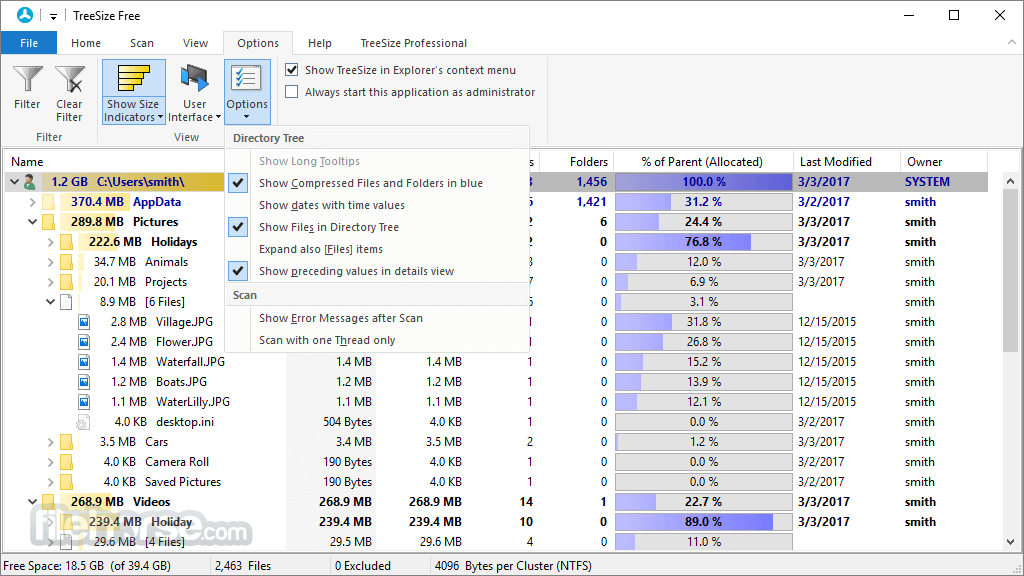
Once installed, TreeSize Free can be launched from the Start menu or directly via right-clicking any folder in Explorer.
Setup is quick, with no bundled software or unnecessary options.
How to Use
FAQs
Is TreeSize Free completely free?
Yes, it's free for personal and basic commercial use.
Can it delete files?
Yes, you can delete files and folders directly from within the app.
Does it support network drives?
Yes, as long as they are mapped to a local drive letter.
Is there a portable version?
Yes, it can be used without installation via the portable edition.
How does it compare to the Pro version?
The Professional version includes advanced reports, scheduled scans, and more extensive file system support.
Alternatives
WinDirStat – Open-source disk usage tool with colorful treemap visuals.
WizTree – Exceptionally fast scanner using MFT for speed.
Pricing
TreeSize Free is completely free. Advanced users can upgrade to TreeSize Personal or Professional for additional features, available via one-time purchase licenses.
System Requirements
TreeSize Free is a must-have app for Windows users who want to keep their storage organized and under control. With its clean interface, reliable scanning engine, and visualizations, it helps users reclaim disk space with ease.
Note: Limited functionality in the unregistered version.
Also Available: Download TreeSize Free Portable
Download TreeSize Free Latest Version Why is this app published on FileHorse? (More info)
It provides a detailed, hierarchical view of disk usage and is an essential program for users who want to manage storage more effectively.
TreeSize Free scans entire drives or specific folders and presents disk usage in an easy-to-navigate tree structure.
It’s ideal for users who need a quick way to visualize and reclaim disk space without diving deep into complex system tools.
Features
Folder Size Analysis: Displays folder sizes and the percentage of space they occupy.
Treemap Visualization: Offers visual charts to highlight how space is used.
Windows Explorer Integration: Allows scans directly from the right-click context menu.
Touch-Optimized UI: Fully functional on touchscreen devices.
Dark Mode: Reduces eye strain during extended sessions.
User Interface
The interface resembles Windows File Explorer, making it familiar and easy to use. Folder trees are expandable, and columns can be sorted by size, number of files, or allocated space.
The real-time progress bar makes scanning transparent, and the visual feedback is both informative and clean.
Installation and Setup
Run the setup and follow the prompts.
Once installed, TreeSize Free can be launched from the Start menu or directly via right-clicking any folder in Explorer.
Setup is quick, with no bundled software or unnecessary options.
How to Use
- Launch TreeSize Free.
- Select a drive or folder to scan.
- View results in a hierarchical list showing size and space usage.
- Expand folders to see detailed subfolder information.
- Use the treemap view for a graphical breakdown.
- Delete or explore files directly from the interface.
FAQs
Is TreeSize Free completely free?
Yes, it's free for personal and basic commercial use.
Can it delete files?
Yes, you can delete files and folders directly from within the app.
Does it support network drives?
Yes, as long as they are mapped to a local drive letter.
Is there a portable version?
Yes, it can be used without installation via the portable edition.
How does it compare to the Pro version?
The Professional version includes advanced reports, scheduled scans, and more extensive file system support.
Alternatives
WinDirStat – Open-source disk usage tool with colorful treemap visuals.
WizTree – Exceptionally fast scanner using MFT for speed.
Pricing
TreeSize Free is completely free. Advanced users can upgrade to TreeSize Personal or Professional for additional features, available via one-time purchase licenses.
System Requirements
- Windows 11, 10, 8 or 7
- 1 GHz processor
- 2 GB RAM minimum
- Around 50 MB of disk space
- Intuitive, user-friendly interface
- Fast, accurate scans
- Windows Explorer integration
- Portable version available
- Treemap visualizations
- Limited advanced features compared to Pro version
- Filtering and reporting options are basic
- Windows-only
TreeSize Free is a must-have app for Windows users who want to keep their storage organized and under control. With its clean interface, reliable scanning engine, and visualizations, it helps users reclaim disk space with ease.
Note: Limited functionality in the unregistered version.
Also Available: Download TreeSize Free Portable
Download TreeSize Free Latest Version Why is this app published on FileHorse? (More info)
##
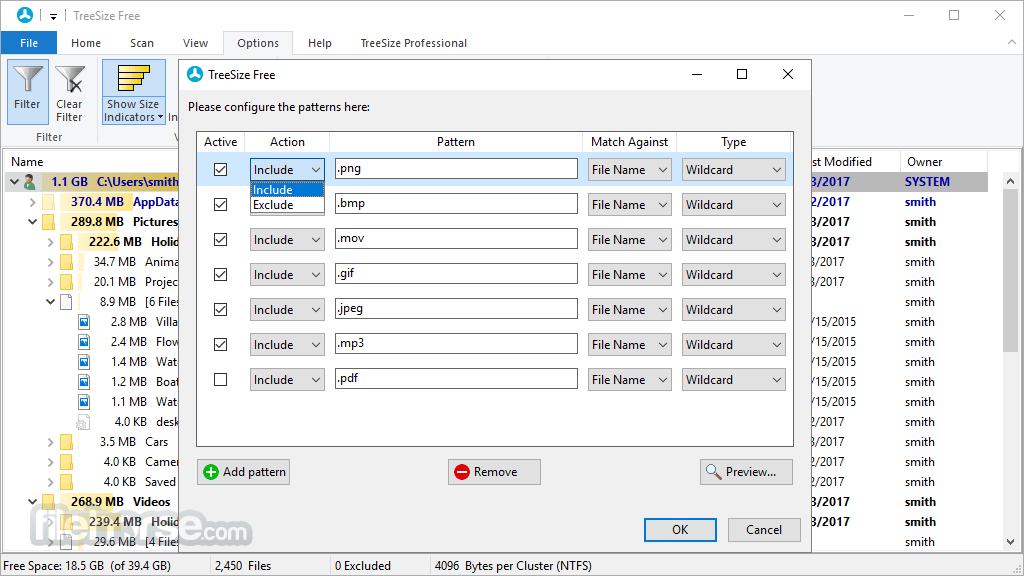
畫面截圖
- 2025-11-21 TreeSize Free 4.8.1 15.63 MB
- 2025-10-07 TreeSize Free 4.8.0 15.6 MB
- 2024-05-08 TreeSize Free 4.7.3 13.19 MB
- 2024-02-26 TreeSize Free 4.7.2 12.68 MB
- 2023-11-01 TreeSize Free 4.7.1 12.67 MB
- 2023-08-14 TreeSize Free 4.7.0 12.66 MB
- 2022-12-23 TreeSize Free 4.6.3 11.57 MB
- 2022-11-30 TreeSize Free 4.6.2 11.58 MB