⚠ 這是歷史版本頁面 — 查看 WindowFX 最新版本 →

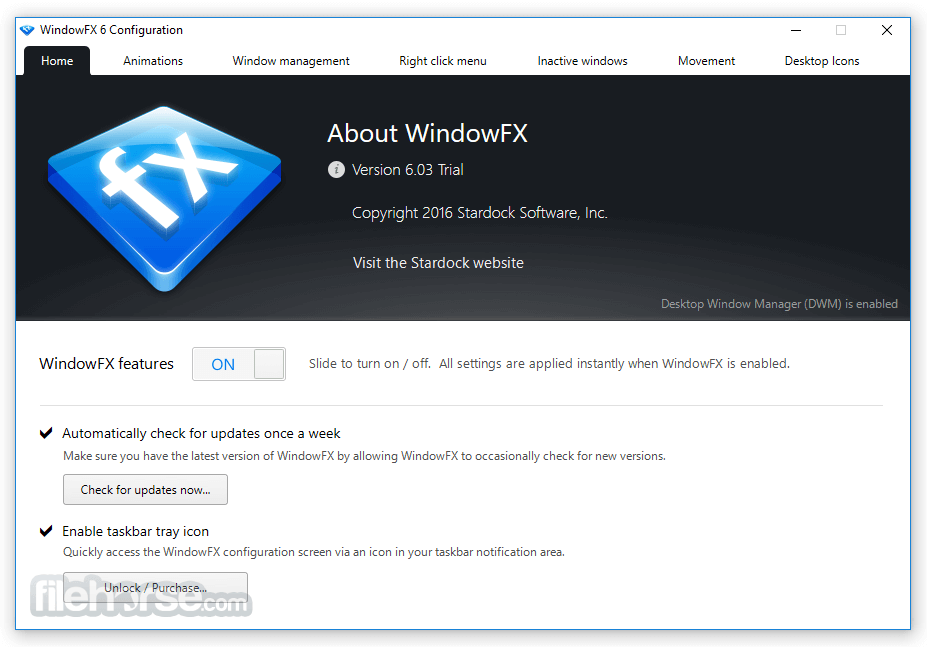
- 目前版本6.03
- 更新日期2017-04-07
- 檔案大小17.33 MB
- 檔案名稱WindowFX6_trial_setup.exe
- 作業系統Windows Vista / Windows 7 / Windows 8 / Windows 10 / Windows 11
- 支援語系English
- 授權型式商業試用
- 開發商 Stardock
- 軟體分類Windows 軟體 / 桌面強化
##
編輯短評
WindowFX 是 Stardock 推出的桌面強化工具,主要為 Windows 的視窗與開始選單加入流暢的動畫和視覺特效,讓系統操作多了些許回饋感。它提供多種可調整的動畫與效果,既能低調點綴,也能明顯改變介面風格,是少數專注於視窗動畫的付費工具。開發商長期維護,更新頻率穩定,在同類軟體中屬於有一定知名度的選擇,不過使用者評價中等,評分人數不算多,整體表現中規中矩。
這套軟體適合喜歡個人化系統外觀、對視窗開關或最小化動作想增添變化的使用者,尤其是追求視覺流暢度的玩家。與其他免費或開源的美化工具相比,WindowFX 的整合性與穩定性較佳,但它是試用版,需付費才能完整使用,且僅提供英文介面,對中文使用者稍有門檻。安裝前建議確認系統相容性,並留意試用版的功能限制,以免影響體驗。
##
翻譯排程處理中,以下暫以英文原文呈現
軟體介紹
WindowFX is a one-of-a-kind app that lets you supercharge your Windows experience. The utility brings you polished and reliable window enhancement capabilities.
Customize your windows and menus with stunning animations and effects. Get it NOW!
Add an amazing assortment of features to Windows, which can be applied in a subtle way to give Windows a little umph. Download WindowFX to enhance your window capabilities!
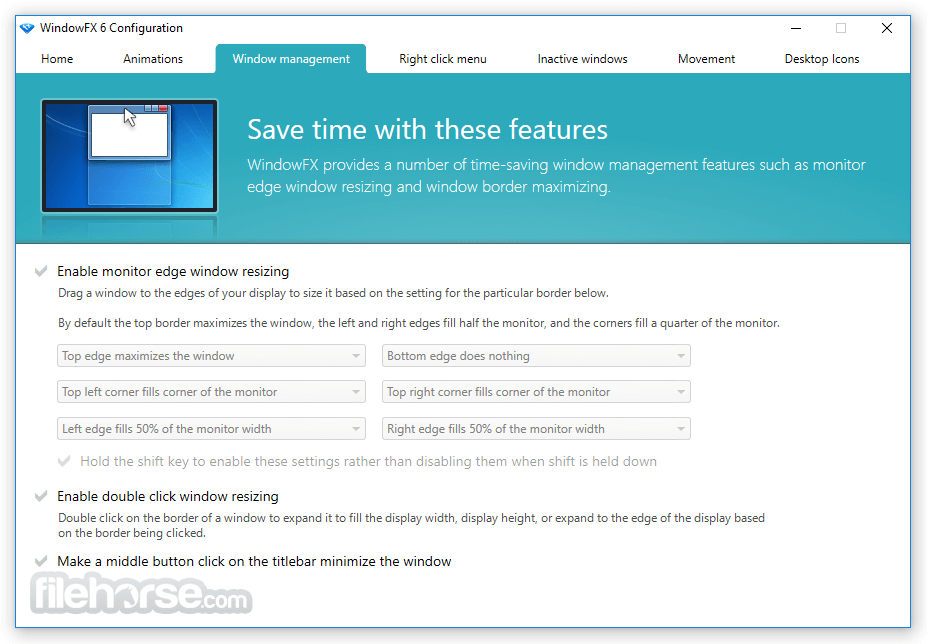
Stardock`s WindowFX allows users to animate windows and start menus with slick animations and effects. It gives you so many polished and reliable window enhancement capabilities, including animations, window resizing options, and movement customization.
The app not only makes the Windows experience look cool, but it also helps you focus on what is important, with options to control background windows and desktop icons.
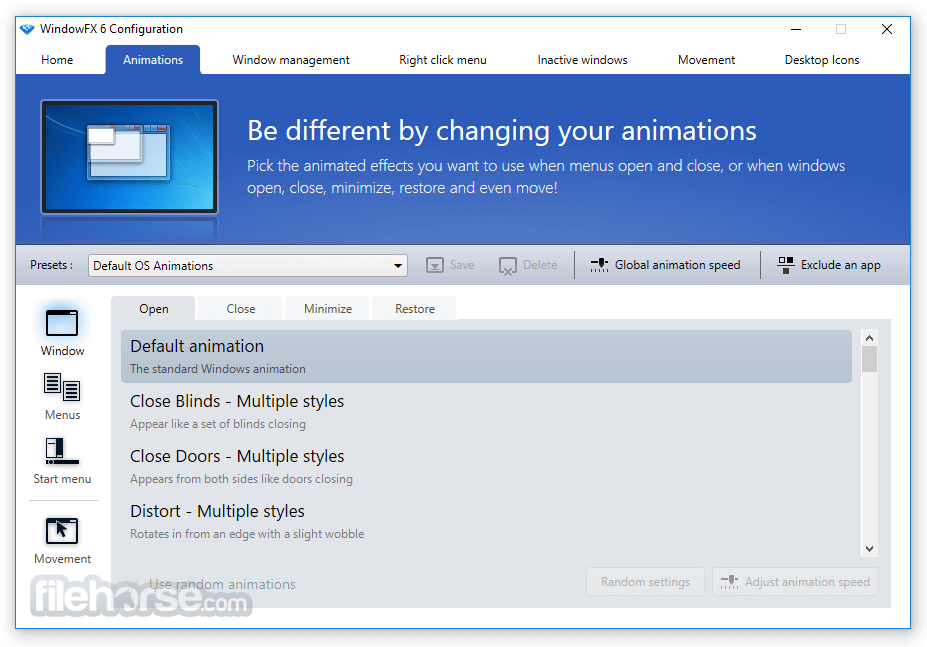
Animate the fluid motions of windows as they open, close, minimize, and maximize. Observe windows gracefully wobble as you drag them across your desktop.
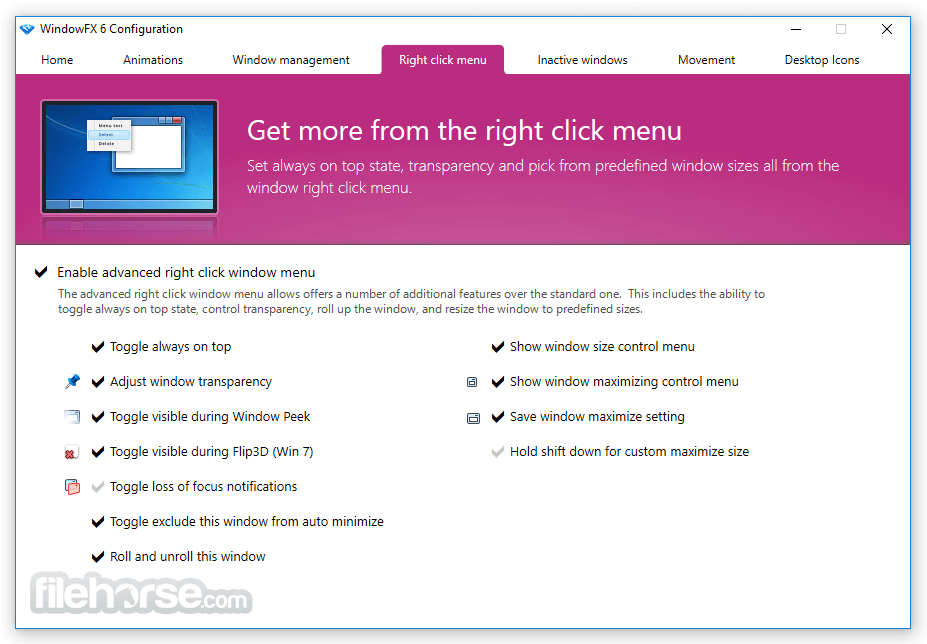
Highlight the active window by subtly dimming inactive ones. Elevate your windows management experience with convenient right-click options for tasks like adjusting transparency, resizing, and rolling up windows.
Features and Highlights
Apply custom animations
Choose from over 30 animated effects for Windows when they open, close, minimize, and restore. Several of these include substyles for different animation types. Also, explore over 20 Start menu animations.
Corner hotspots
Users have a great deal of control over how the mouse cursor is displayed. The color, opacity, and size can easily be adjusted on the fly. Even the shadows can be modified, including dynamic shadows that allow users to set light sourcing onto cursors.
Advanced "right-click" options
Control your window effects, transparency, and window resizing by using your "right-click".
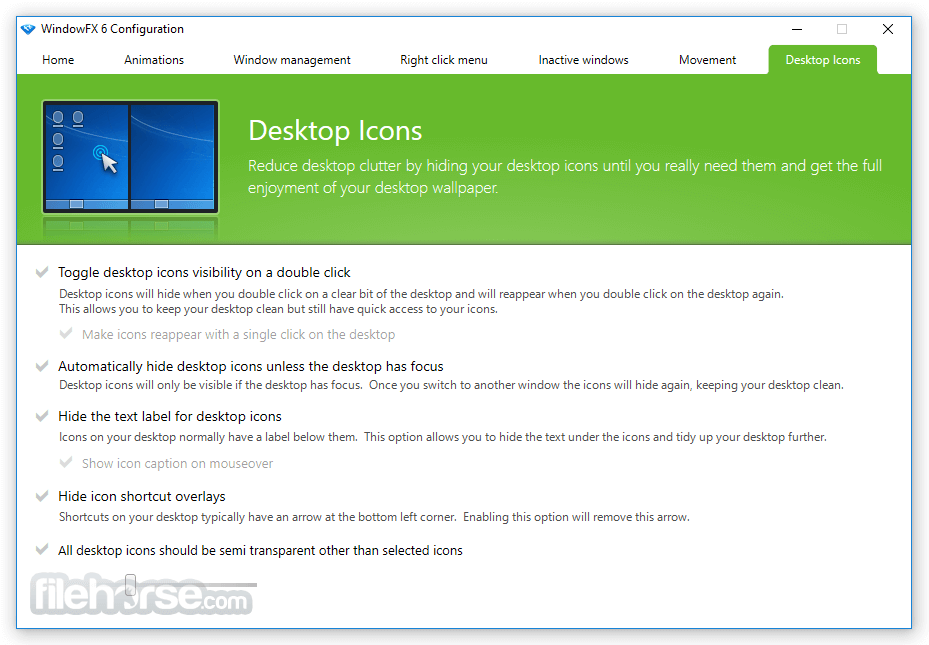
Double-click to hide icons
Simply double-click your desktop to hide your icons.
Hide text labels for desktop icons
Already know what your desktop icons are? Easily hide them to avoid desktop clutter.
Hide icon shortcut overlays
Remove the unnecessary arrow at the bottom of your desktop icons.
Remain focused
Simply double-click your desktop to hide your icons.
Add momentum to your workflow
Window FX has a "window flick" option that allows you to add movements, fade windows, and add speed to quickly throw your windows around your monitor.
Top software from Stardock
Object Desktop
Customize your Windows experience with this complete suite of desktop enhancement products.
Fences
Automatically organize your desktop apps, files, and folders on Windows 10 and 11.
Start11
Customize the Start Menu and Taskbar in Windows 10/11.
WindowBlinds
Customize the look and feel of your Windows 10/11 Start menu, taskbar, window frames, and control buttons.
Groupy
Keep your desktop organized with the only universal tab experience for Windows 10 and 11.
FAQs
What is WindowFX, and what does it actually do on Windows 10/11?
WindowFX is a desktop enhancement tool that adds advanced visual effects and animations to Windows, such as window transitions, shadows, transparency, blur effects, and custom minimize/maximize animations. It enhances the look and feel of the operating system without modifying core system files, making it a safe way to personalize your desktop experience while keeping system stability intact.
Does WindowFX affect performance or slow down my PC?
WindowFX is optimized to use minimal system resources, especially on modern hardware, and typically has little to no noticeable impact on performance. However, enabling many advanced effects—like heavy animations or high transparency—can slightly affect performance on older or low-end systems. The software allows you to fine-tune or disable specific effects, so you can balance visual quality and performance based on your setup.
Is WindowFX compatible with Windows 11 in 2026?
Yes, WindowFX is fully compatible with Windows 11 and continues to receive updates to support newer builds and UI changes. It integrates well with the modern Windows interface, allowing users to enhance animations and visuals without breaking system features. Compatibility updates from Stardock ensure it works smoothly even with ongoing Windows updates.
Can I customize or create my own animations and effects in WindowFX?
Yes, WindowFX offers a high level of customization, allowing users to choose from preset animations or create their own effects by adjusting parameters like speed, direction, scaling, and opacity. Advanced users can fine-tune how windows behave when opening, closing, minimizing, or dragging, making it a powerful tool for both casual customization and detailed UI personalization.
System Requirements
Download WindowFX Latest Version Why is this app published on FileHorse? (More info)
Customize your windows and menus with stunning animations and effects. Get it NOW!
Add an amazing assortment of features to Windows, which can be applied in a subtle way to give Windows a little umph. Download WindowFX to enhance your window capabilities!
Stardock`s WindowFX allows users to animate windows and start menus with slick animations and effects. It gives you so many polished and reliable window enhancement capabilities, including animations, window resizing options, and movement customization.
The app not only makes the Windows experience look cool, but it also helps you focus on what is important, with options to control background windows and desktop icons.
Animate the fluid motions of windows as they open, close, minimize, and maximize. Observe windows gracefully wobble as you drag them across your desktop.
Highlight the active window by subtly dimming inactive ones. Elevate your windows management experience with convenient right-click options for tasks like adjusting transparency, resizing, and rolling up windows.
Features and Highlights
Apply custom animations
Choose from over 30 animated effects for Windows when they open, close, minimize, and restore. Several of these include substyles for different animation types. Also, explore over 20 Start menu animations.
Corner hotspots
Users have a great deal of control over how the mouse cursor is displayed. The color, opacity, and size can easily be adjusted on the fly. Even the shadows can be modified, including dynamic shadows that allow users to set light sourcing onto cursors.
Advanced "right-click" options
Control your window effects, transparency, and window resizing by using your "right-click".
Double-click to hide icons
Simply double-click your desktop to hide your icons.
Hide text labels for desktop icons
Already know what your desktop icons are? Easily hide them to avoid desktop clutter.
Hide icon shortcut overlays
Remove the unnecessary arrow at the bottom of your desktop icons.
Remain focused
Simply double-click your desktop to hide your icons.
Add momentum to your workflow
Window FX has a "window flick" option that allows you to add movements, fade windows, and add speed to quickly throw your windows around your monitor.
Top software from Stardock
Object Desktop
Customize your Windows experience with this complete suite of desktop enhancement products.
Fences
Automatically organize your desktop apps, files, and folders on Windows 10 and 11.
Start11
Customize the Start Menu and Taskbar in Windows 10/11.
WindowBlinds
Customize the look and feel of your Windows 10/11 Start menu, taskbar, window frames, and control buttons.
Groupy
Keep your desktop organized with the only universal tab experience for Windows 10 and 11.
FAQs
What is WindowFX, and what does it actually do on Windows 10/11?
WindowFX is a desktop enhancement tool that adds advanced visual effects and animations to Windows, such as window transitions, shadows, transparency, blur effects, and custom minimize/maximize animations. It enhances the look and feel of the operating system without modifying core system files, making it a safe way to personalize your desktop experience while keeping system stability intact.
Does WindowFX affect performance or slow down my PC?
WindowFX is optimized to use minimal system resources, especially on modern hardware, and typically has little to no noticeable impact on performance. However, enabling many advanced effects—like heavy animations or high transparency—can slightly affect performance on older or low-end systems. The software allows you to fine-tune or disable specific effects, so you can balance visual quality and performance based on your setup.
Is WindowFX compatible with Windows 11 in 2026?
Yes, WindowFX is fully compatible with Windows 11 and continues to receive updates to support newer builds and UI changes. It integrates well with the modern Windows interface, allowing users to enhance animations and visuals without breaking system features. Compatibility updates from Stardock ensure it works smoothly even with ongoing Windows updates.
Can I customize or create my own animations and effects in WindowFX?
Yes, WindowFX offers a high level of customization, allowing users to choose from preset animations or create their own effects by adjusting parameters like speed, direction, scaling, and opacity. Advanced users can fine-tune how windows behave when opening, closing, minimizing, or dragging, making it a powerful tool for both casual customization and detailed UI personalization.
System Requirements
- Windows 11/10/8/7
- 1GHz Processor
- 50 MB Available System Memory
- 100 MB Available Hard Drive Space
- Enhances the Windows experience
- Offers polished animations
- Provides window management options
- Convenient right-click features
- Customizable cursor hotspots
- Lack of new updates
- Trial version limit
- Requires Windows OS
- Moderate system requirements
Download WindowFX Latest Version Why is this app published on FileHorse? (More info)
##
畫面截圖
- 2026-05-02 WindowFX 6.13 17.65 MB
- 2021-05-13 WindowFX 6.12 17.64 MB
- 2021-04-29 WindowFX 6.11 17.64 MB
- 2021-02-17 WindowFX 6.1 17.63 MB
- 2019-08-23 WindowFX 6.05 17.71 MB
- 2017-04-07 WindowFX 6.03 17.33 MB