⚠ 這是歷史版本頁面 — 查看 Wise Disk Cleaner 最新版本 →

Wise Disk Cleaner 11.3.2
v 11.3.2
Windows
免費軟體
7.98/10 (180)
- 目前版本11.3.2
- 更新日期2026-01-30
- 檔案大小11.76 MB
- 檔案名稱WDCFree_11.3.2.852.exe
- 作業系統Windows 7 / Windows 8 / Windows 10 / Windows 11
- 支援語系English
- 授權型式免費軟體
- 開發商 WiseCleaner
- 軟體分類Windows 軟體 / 系統優化
##
編輯短評
Wise Disk Cleaner 是一款專為 Windows 設計的免費系統清理工具,主要用來清除瀏覽器(如 Edge、Chrome、Firefox 與 Safari)的暫存檔、歷史紀錄、Cookie 與自動完成資料,同時也能移除資源回收筒、近期文件、暫存檔與日誌檔等系統垃圾。它最特別的地方在於「slim down」模式,能進一步刪除包括桌布在內、一般使用者可能永遠用不到的 Windows 額外檔案,清理範圍比多數同類產品更廣,甚至還內建了免費的磁碟重組功能。這款軟體由 WiseCleaner 開發,長期持續更新,在系統優化分類中屬於熱門選擇,使用者評價普遍不錯。
這套工具適合一般使用者,尤其是電腦累積大量暫存檔案、想快速釋放磁碟空間卻不想手動逐一清理的人。與 Glary Utilities 這類功能更全面的系統工具相比,Wise Disk Cleaner 更專注在磁碟清理與重組,操作上相對輕量直接,但缺少登錄檔修復等進階功能;若需要更完整的系統維護,可能得搭配其他軟體。需要注意的是,目前僅提供英文介面,不支援中文,但操作流程直覺,對英文不熟悉的使用者影響不大。軟體為免費授權,安裝時留意不要誤裝額外的推廣軟體即可。
##
翻譯排程處理中,以下暫以英文原文呈現
軟體介紹
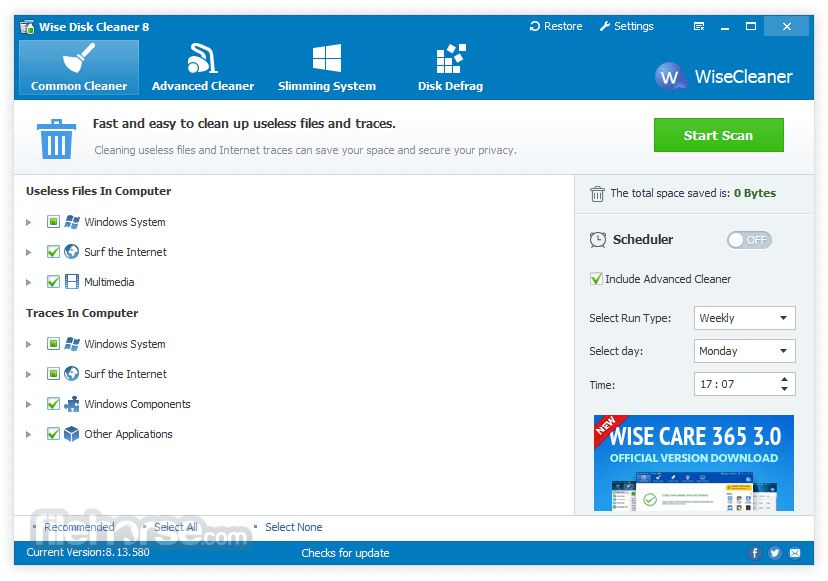
Wise Disk Cleaner cleans temporary files, history, cookies, and autocompletes form the history of Edge, Chrome, Firefox, and Safari browsers.
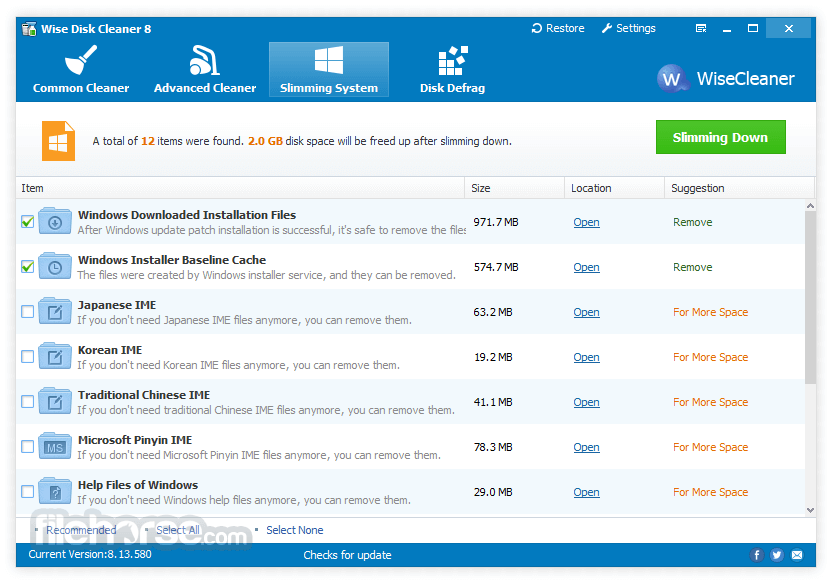
And it removes PC junk files, such as Recycle Bin, Recent Documents, Temporary files, and Log files. This freeware tool cleans a lot more files than most similar products and includes a "slim down" mode that gets rid of a lot of extraneous objects including wallpapers and other Windows files you may never use. A disk defrag feature is also included for free.
Why choose Wise Disk Cleaner?
Securely Cleans Up Useless Files and Makes Your Computer Run Faster
Over time, junk files, temporary files, all kinds of system files, and other items you do not need at all accumulate on your Windows Computer. Those useless files take up valuable hard disk space and slow down your computer.
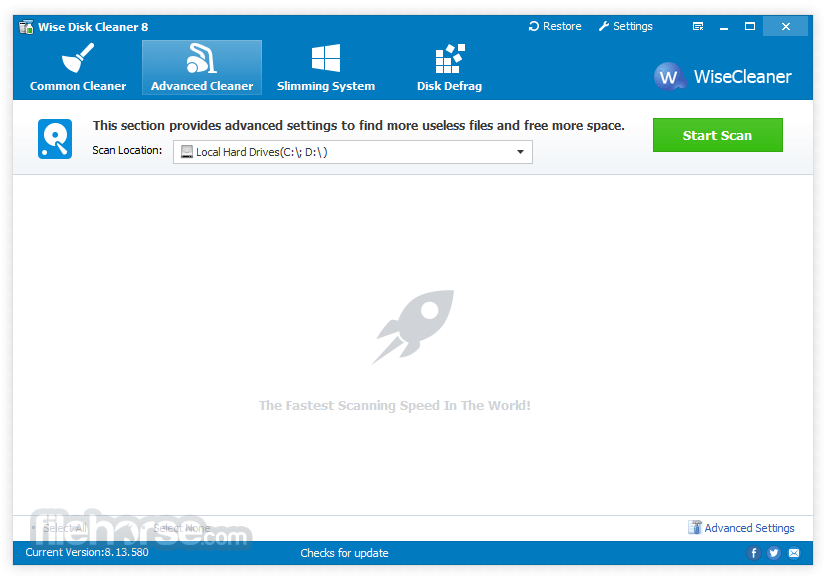
Wise Disk Cleaner can delete these unnecessary files on your hard disk to free up disk space and make your computer run faster. It also provides many custom options to allow advanced users to clean up more files they don’t need. Equipped with advanced algorithms, Wise Disk Cleaner can scan and remove them within seconds, making it one of the most efficient disk cleaners out there.
Cleans Internet History and Other Traces on Your Computer - Protecting Your Privacy
It can clean Internet histories, cache files, and cookies of Internet Explorer, Chrome, Firefox, Opera, and Safari browsers. It also detects and cleans all other traces caused by Windows System, components, and other applications.
By removing all these traces thoroughly, your privacy will be well protected from prying eyes.
Improve Your PC performance by defragging and re-arranging files on Your Disk
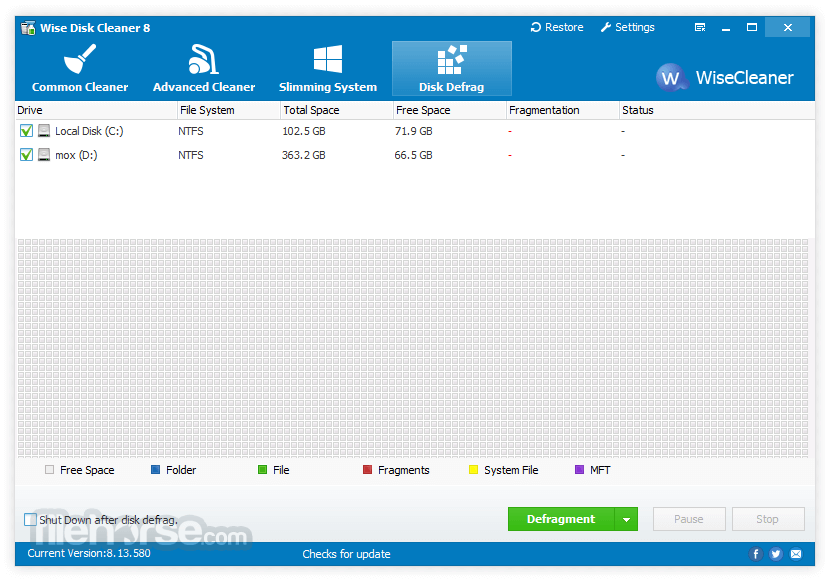
Your hard disk drive will get fragmented over time. Fragmentation makes your hard disk do extra work that can slow down your computer. The ‘Disk Defrag’ feature of the app can rearrange fragmented data so your disks and drives can work more efficiently.
‘Disk Defrag’ also offers you a clear graphic chart of the selected drive, letting you know the drive usage at a glance. You can also use it to analyze and defragment any external storage devices.
Scheduled Automatic Disk Cleaning
You can set the software to clean the disk on a daily, weekly, or monthly schedule according to your own need. The program will automatically clean up the useless files in the background when the scheduled time is up.
In settings, you can also create a ‘Clean with 1-click’ icon and place it on the desktop. With this feature, you can clean up the junk files by just clicking the icon without opening the app.
Freeware & Low CPU Usage
The disk cleaner is completely free. Anyone can download it for free and enjoy free automatic updates and technical support by email. Better yet, Wise DiskCleaner is a small and absolutely virus-free program that consumes very little system resources.
How to Use
CCleaner - Easy-to-use system cleaner and optimizer.
Glary Utilities - Comprehensive system maintenance tools.
IObit Advanced SystemCare Free - AI-powered PC optimization.
Ashampoo WinOptimizer - Advanced PC performance booster.
Wise Care 365 - All-in-one PC cleaning and speed-up.
System Mechanic - Complete performance optimization suite.
System Requirements
Download Wise Disk Cleaner Latest Version Why is this app published on FileHorse? (More info)
And it removes PC junk files, such as Recycle Bin, Recent Documents, Temporary files, and Log files. This freeware tool cleans a lot more files than most similar products and includes a "slim down" mode that gets rid of a lot of extraneous objects including wallpapers and other Windows files you may never use. A disk defrag feature is also included for free.
Why choose Wise Disk Cleaner?
Securely Cleans Up Useless Files and Makes Your Computer Run Faster
Over time, junk files, temporary files, all kinds of system files, and other items you do not need at all accumulate on your Windows Computer. Those useless files take up valuable hard disk space and slow down your computer.
Wise Disk Cleaner can delete these unnecessary files on your hard disk to free up disk space and make your computer run faster. It also provides many custom options to allow advanced users to clean up more files they don’t need. Equipped with advanced algorithms, Wise Disk Cleaner can scan and remove them within seconds, making it one of the most efficient disk cleaners out there.
Cleans Internet History and Other Traces on Your Computer - Protecting Your Privacy
It can clean Internet histories, cache files, and cookies of Internet Explorer, Chrome, Firefox, Opera, and Safari browsers. It also detects and cleans all other traces caused by Windows System, components, and other applications.
By removing all these traces thoroughly, your privacy will be well protected from prying eyes.
Improve Your PC performance by defragging and re-arranging files on Your Disk
Your hard disk drive will get fragmented over time. Fragmentation makes your hard disk do extra work that can slow down your computer. The ‘Disk Defrag’ feature of the app can rearrange fragmented data so your disks and drives can work more efficiently.
‘Disk Defrag’ also offers you a clear graphic chart of the selected drive, letting you know the drive usage at a glance. You can also use it to analyze and defragment any external storage devices.
Scheduled Automatic Disk Cleaning
You can set the software to clean the disk on a daily, weekly, or monthly schedule according to your own need. The program will automatically clean up the useless files in the background when the scheduled time is up.
In settings, you can also create a ‘Clean with 1-click’ icon and place it on the desktop. With this feature, you can clean up the junk files by just clicking the icon without opening the app.
Freeware & Low CPU Usage
The disk cleaner is completely free. Anyone can download it for free and enjoy free automatic updates and technical support by email. Better yet, Wise DiskCleaner is a small and absolutely virus-free program that consumes very little system resources.
How to Use
- Install the software by following the setup wizard
- Launch the application after installation
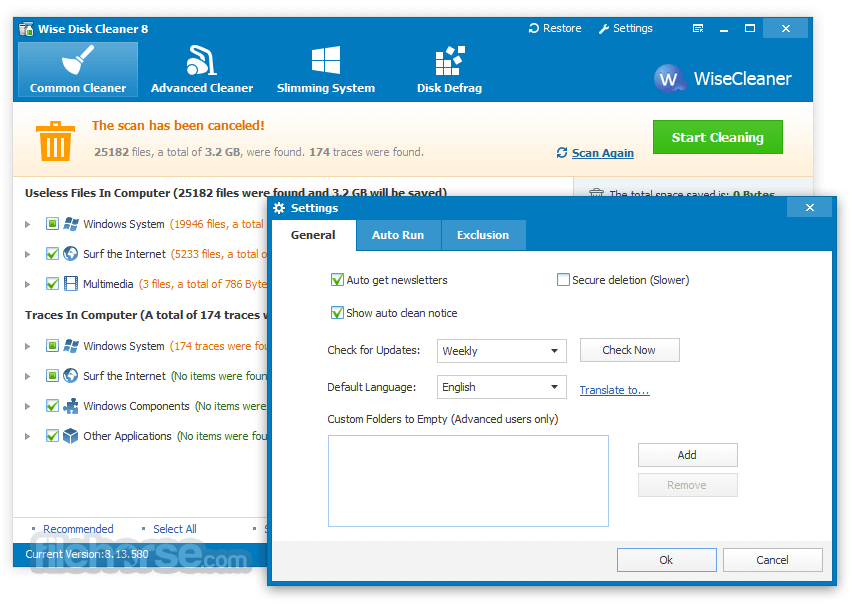
- Click "Common Cleaner" to scan for junk files
- Review and confirm the items to clean
- Use "Advanced Cleaner" for deeper scans
- Schedule automatic cleaning under the "Schedule" tab
- Use "Slimming System" to remove unneeded files
- Defragment your disk via the "Disk Defrag" tab
- Exit or minimize the program after cleaning
CCleaner - Easy-to-use system cleaner and optimizer.
Glary Utilities - Comprehensive system maintenance tools.
IObit Advanced SystemCare Free - AI-powered PC optimization.
Ashampoo WinOptimizer - Advanced PC performance booster.
Wise Care 365 - All-in-one PC cleaning and speed-up.
System Mechanic - Complete performance optimization suite.
System Requirements
- OS: Windows 11, 10, 8, 7 (32 & 64-bit)
- CPU: 500 MHz or faster processor
- RAM: 256 MB or more
- Disk Space: At least 20 MB free space
- Display: 800x600 resolution or higher
- Fast and lightweight performance
- Free to use with no ads
- Simple and intuitive interface
- Schedule automatic cleanups
- Includes disk defragment tool
- No real-time junk monitoring
- Limited advanced features
- Lacks deep registry cleaner
- Basic customer support options
Download Wise Disk Cleaner Latest Version Why is this app published on FileHorse? (More info)
##
畫面截圖
- 2026-07-25 Wise Disk Cleaner 11.3.7 11.83 MB
- 2026-06-30 Wise Disk Cleaner 11.3.6 11.83 MB
- 2026-05-14 Wise Disk Cleaner 11.3.5 11.8 MB
- 2026-04-07 Wise Disk Cleaner 11.3.4 11.74 MB
- 2026-03-01 Wise Disk Cleaner 11.3.3 11.76 MB
- 2026-01-30 Wise Disk Cleaner 11.3.2 11.76 MB
- 2025-12-29 Wise Disk Cleaner 11.3.1 11.41 MB
- 2025-11-28 Wise Disk Cleaner 11.3.0 11.37 MB